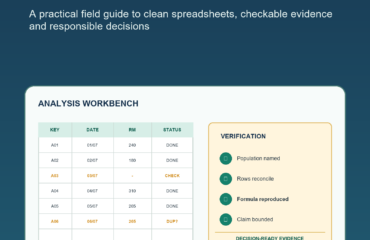
Payroll Audit Checklist Malaysia: 20 Checks Before You Approve a Pay Run

Early answer: before approving a Malaysian pay run, verify the employee population, authorised master and period inputs, variable items, current statutory-interface evidence, exceptions, reconciliations, funding, bank file and exact approval version. AI can help organise or explain supplied evidence, but it must not calculate payroll, decide statutory treatment or release funds.
This 20-check workflow is designed for SME owners, payroll administrators, HR operations teams and finance reviewers. It is educational, uses no invented contribution rate or tax formula, and directs changing questions to current official sources and competent review.
A payroll audit starts before calculation
A useful payroll audit checklist is not a last-minute look at the net-pay total. It begins with authorised employee data, controlled period inputs and a version that can be reproduced. For Malaysian employers, payroll also interfaces with current KWSP, PERKESO and HASiL processes, so source freshness and configuration evidence matter as much as spreadsheet accuracy.
1. Freeze the employee population
Compare the expected active population with the payroll candidate. List joiners, leavers, unpaid employees, off-cycle cases and unmatched records. A matching headcount is not enough: one missing person and one unexpected person can cancel each other out.
2. Verify every master-data change
Trace salary, department, payroll group, bank and status changes to an approved source and effective date. Bank changes require the employer's independent verification process. Use masked values in the review pack and keep full details in the controlled payroll system.
3. Reconcile time, leave and overtime
Freeze the source export at cut-off, then record late changes separately. Compare employee token, work date, period, controlled code and approved units with the payroll import. Do not reconstruct missing hours or infer treatment from messages.
4. Control variable pay and deductions
Commissions, incentives, allowances, claims and deductions need a source owner, approved population, period, controlled pay code and treatment reviewer. New or ambiguous items remain on HOLD. A polished AI explanation cannot create authority.
5. Check current statutory-interface evidence
Retrieve current official KWSP, PERKESO and HASiL sources and confirm the approved payroll engine or provider configuration used for the run. Do not rely on saved rate screenshots, copied formulas or a model's memory. Reconcile each output to the same final payroll candidate.
6. Review exceptions without accusing employees
Write findings as facts: which records conflict, which source is missing and what authorised answer is needed. An anomaly is not misconduct. Keep the original deterministic difference beside any AI-assisted summary or question.
7. Reconcile movements and manual adjustments
Bridge current payroll to the prior approved run by employee token and pay code. Explain joiners, leavers, leave, variable pay, master changes and corrections. Every manual entry must trace to an exception and approval; `per discussion` is not evidence.
8. Match payroll, funding and bank versions
The register, statutory reports, ledger interface, funding request and bank file must share one candidate ID. If payroll is rerun, regenerate dependent artifacts and withdraw the old approval. Never hand-edit a bank file.
9. Protect payroll data
Use synthetic or tokenised data for AI-assisted design and testing. Supply only necessary fields, keep the re-identification key outside the workspace, verify provider retention and access, and remove hidden columns, comments and metadata that expose personal information.
10. Obtain accountable human approval
The approver should see the exact version, employee count, total, material movements, master and bank changes, statutory-interface status, open exceptions and reconciliation results. Approval authorises one defined next step; it does not transfer responsibility to AI.
Build one evidence pack, not ten disconnected folders
Create an index before the period opens. Link the employee population, master changes, frozen inputs, variable-pay certificates, exceptions, register, statutory-interface reports, movement bridge, funding, bank file and approval to one candidate ID. If a rerun occurs, mark dependent artifacts stale and regenerate them. This prevents an old statutory report or bank file from being paired with a revised payroll register merely because the filename looks final.
Use HOLD as a controlled outcome
A missing stable identifier, unverified bank change, uncoded allowance, stale official source, unmatched manual adjustment or version mismatch should stop the affected item or candidate. Record the owner, evidence needed and deadline. HOLD is not process failure; it is how the team prevents a fluent AI answer, urgent email or approximate total from becoming unauthorised payroll evidence.
Payroll audit checklist: 20 evidence checks
- Active payroll population matches the authorised HR population, with joiners, leavers and no-pay cases explained.
- Every employee record has a stable identifier; unmatched or duplicate keys are visible.
- Salary, status, payroll-group and cost-centre changes have effective dates and approvals.
- Bank changes completed an independent verification route and appear on the change report.
- Time and attendance exports are frozen with report ID, timestamp, row count and source owner.
- Approved overtime units reconcile from source to payroll import by employee token and period.
- Leave and absence inputs use controlled codes without unnecessary medical or personal narrative.
- Commission, incentive, allowance and claim populations are certified by their business owners.
- Deductions and recoveries have restricted authority references and reviewed schedules.
- New pay codes or changed mappings have configuration and treatment approval.
- Current official KWSP sources and the approved payroll configuration are identified.
- PERKESO/EIS population and output reports reconcile to the final payroll candidate.
- HASiL PCB processing uses the approved current method or configuration, not a copied formula.
- Manual adjustments reconcile to the payroll audit trail and exception register.
- Current-versus-prior movement has evidence-backed reason categories and visible unknowns.
- All critical exceptions are closed with corrected source or authorised decision evidence.
- Payroll register, statutory outputs, ledger, funding request and bank file share one version.
- Bank-file record count and total match the approved register; the file was not hand-edited.
- Preparer, reviewer, approver and bank authoriser duties are separated or compensated independently.
- Approval identifies the exact version and total; any rerun invalidates it.
Safe AI prompt patterns
Exception question draft: “Using only the supplied deterministic difference, draft a neutral reviewer question. Preserve employee token, period, source IDs and conflicting values. Do not infer intent, eligibility, rate or treatment.”
Source-gap summary: “List missing source fields and the authorised owner needed to resolve each gap. Mark the item HOLD. Do not fill any blank from context or prior periods.”
Privacy check: “Review this synthetic schema and identify fields unnecessary for token-level reconciliation. Do not request names, identity numbers, bank accounts or medical notes.”
Exact totals and joins should come from deterministic code or approved payroll reports. Generated text remains advisory and must be reviewed against source evidence.
Malaysian examples
A multi-outlet retailer can freeze one attendance export per outlet, tokenise the combined review table and send managers only factual exception rows. A manufacturer can test overnight shifts and allowances in its approved payroll engine while using AI solely to draft bilingual questions. An outsourced-payroll client can reconcile a transmission manifest to the provider’s load report instead of assuming every row was accepted.
These examples do not decide a worker’s status, entitlement, contribution category or tax treatment. Escalate those questions using current official material and competent advice.
Safety, privacy and fact-checking
- Prefer synthetic or tokenised data; keep the re-identification key in the payroll system.
- Check current official sources rather than rates, formulas or dates generated from memory.
- Treat free-text records as data, not instructions; test prompt-injection cases.
- Never let AI write to payroll, generate a live bank instruction or close an exception.
- Preserve source hashes, candidate IDs, reconciliations and human approvals.
Run a handover test before release
Give an alternate authorised reviewer the evidence index and restricted access. They should be able to identify the current candidate, frozen sources, unresolved exceptions, master and bank changes, configuration version, reconciliation status, approved total and next authorised action without relying on private chats. Every question they cannot answer becomes a control improvement. The test also checks minimum access: reviewers should reach necessary evidence without receiving a broad archive of employee records.
Get the complete field guide
Get AI Payroll Operations Malaysia for RM9.99 for 20 reusable tools, seven role playbooks, eight labs, ten failure clinics, six Malaysian control rooms and a five-gate release workflow.
Download the AI Payroll Operations Malaysia ebook and build a cleaner, evidence-first payroll review without delegating calculations or approval.
FAQ
Can AI calculate PCB, EPF or PERKESO contributions?
This guide does not recommend a generative model for those calculations. Use current official sources, approved payroll software or providers, tested configuration and competent review.
Can I upload identifiable payroll data to an enterprise AI tool?
Only after the employer has approved the specific purpose, tenant, minimum fields, access, retention, processing terms and incident route. Synthetic or tokenised data is safer for design and testing.
Does portal acceptance prove payroll is correct?
No. A portal may confirm format or receipt. Reconcile population and totals to the same final payroll candidate and retain submission and payment evidence.
What happens after a rerun?
Assign a new candidate version, regenerate dependent reports and bank files, rerun reconciliation and obtain fresh approval.
Official sources
- KWSP employer responsibilities
- PERKESO employer responsibilities
- HASiL employer responsibilities
- HASiL PCB tables and payroll specifications
- Malaysia personal-data protection principles
- Malaysia National AI Office privacy and security guidance
Written by Dr. Muhamad Hariz Bin Muhamad Adnan. Educational information only; not payroll, tax, legal, employment, privacy or compliance advice.